David Pogue Books
David Pogue is a renowned tech journalist and author. With a career spanning over three decades, Pogue has established himself as a leading authority in the field of consumer technology. He has written numerous books on a wide range of tech topics, including the popular iMovie '11 & iDVD. Pogue's ability to simplify complex concepts and make technology accessible to all has made him a favorite among readers looking to master their digital tools.

iMovie '11 & iDVD
What's iMovie '11 & iDVD about?
iMovie '11 & iDVD by David Pogue is a comprehensive guide that walks you through the process of creating and editing videos using iMovie '11. With step-by-step instructions and helpful tips, this book covers everything from importing footage to adding special effects and sharing your finished masterpiece. It also delves into the features of iDVD, allowing you to turn your videos into professional-looking DVDs. Whether you're a beginner or an experienced user, this book is a valuable resource for unleashing the full potential of these Apple applications.
Who should read iMovie '11 & iDVD?
Anyone who wants to learn how to edit and create videos using iMovie '11
People who are new to video editing and want a comprehensive guide to using iMovie
Individuals who want to enhance their skills and knowledge in video production and editing
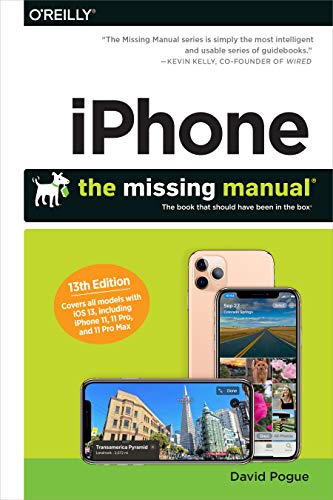
Iphone: The Missing Manual
What's Iphone: The Missing Manual about?
iPhone: The Missing Manual by David Pogue is a comprehensive guide that helps users unlock the full potential of their iPhone. From basic functions to advanced tips and tricks, this book covers everything you need to know about your iPhone. Whether you're a beginner or a seasoned user, this manual will enhance your iPhone experience and make you feel like a pro.
Who should read Iphone: The Missing Manual?
Individuals who want to master the features and functions of their iPhone
People who are new to the iPhone and want a comprehensive guide to using it
Those who want to troubleshoot common iPhone problems and learn useful tips and tricks

Windows 10 May 2019 Update: The Missing Manual
What's Windows 10 May 2019 Update: The Missing Manual about?
Windows 10 May 2019 Update: The Missing Manual by David Pogue is a comprehensive guide to the latest version of Windows 10. It provides step-by-step instructions, tips, and troubleshooting techniques to help both beginners and experienced users make the most of the new features and improvements. Whether you want to master the revamped Start menu, understand the new security and privacy settings, or explore the updated apps, this book has got you covered.
Who should read Windows 10 May 2019 Update: The Missing Manual?
Windows 10 users who want to master the latest features and updates
Those who prefer a hands-on, step-by-step approach to learning new software
People who want to troubleshoot common Windows 10 problems and optimize their system for better performance