Better than a summary
Quicken for Windows summary
Bobbi Sandberg
No credit card required · Cancel anytime
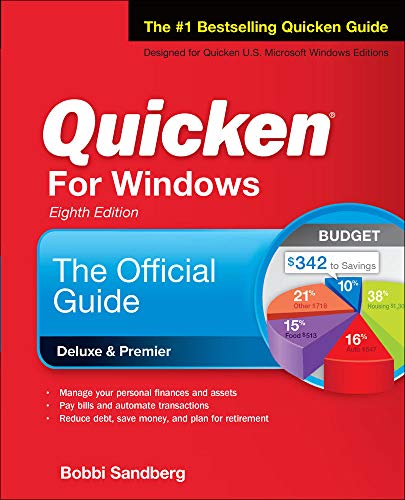
Quicken for Windows by Bobbi Sandberg is a comprehensive guide that teaches you how to use Quicken to manage your finances. It covers everything from setting up accounts to tracking investments and creating budgets.
Topics
Quicken for Windows
Summary of key ideas
Understanding the Basics of Quicken for Windows
In Quicken for Windows by Bobbi Sandberg, we start with the basics. The book introduces us to the Quicken software, explaining its purpose and how it can help us manage our personal finances. We learn about the different versions of Quicken available and how to choose the one that best suits our needs.
Next, we delve into the installation process, setting up our accounts, and customizing the software to fit our financial situation. We learn how to link our bank accounts, credit cards, and investment accounts to Quicken, enabling us to track our income and expenses more efficiently.
Managing Day-to-Day Finances
Once we have our accounts set up, Quicken for Windows teaches us how to use the software to manage our day-to-day finances. We learn how to record transactions, categorize expenses, and create a budget. The book also covers how to use Quicken's bill pay feature, helping us to stay on top of our regular payments.
Furthermore, we explore Quicken's ability to generate reports, such as income and expense reports, cash flow reports, and budget versus actual reports. These reports provide us with valuable insights into our financial health, helping us make informed decisions about our money.
Tracking Investments and Loans
One of Quicken's powerful features is its ability to track investments and loans. In Quicken for Windows, we learn how to set up our investment accounts, track our portfolio performance, and analyze our investment returns. We also discover how to manage our loans, including mortgages, car loans, and personal loans, within the software.
Understanding our investment and loan details in Quicken allows us to make informed decisions about our financial future. We can monitor our investment performance, track our loan balances, and plan for our long-term financial goals.
Advanced Features and Tips
As we progress through the book, we explore some of Quicken's more advanced features. We learn how to set up and track our retirement accounts, plan for taxes, and manage our property and assets. The book also provides tips and tricks for using Quicken more efficiently, such as keyboard shortcuts and customization options.
Finally, Quicken for Windows discusses the mobile app version of Quicken, enabling us to manage our finances on the go. We learn how to sync our data between the desktop and mobile versions, ensuring we always have access to our financial information.
Conclusion and Financial Empowerment
In conclusion, Quicken for Windows by Bobbi Sandberg provides a comprehensive guide to using Quicken to manage our personal finances. By the end of the book, we have a thorough understanding of how to use Quicken to track our income and expenses, manage our investments and loans, and plan for our financial future.
Overall, the book empowers us to take control of our finances, make informed financial decisions, and work towards our financial goals. Whether we are new to Quicken or looking to maximize our use of the software, Quicken for Windows equips us with the knowledge and tools we need to succeed in managing our money.
More knowledge in less time

Read or listen
Get the key ideas from nonfiction bestsellers in minutes, not hours.

Find your next read
Get book lists curated by experts and personalized recommendations.

Shortcasts
We've teamed up with podcast creators to bring you key insights from podcasts.
What is Quicken for Windows about?
Quicken for Windows by Bobbi Sandberg is a comprehensive guide to using the popular personal finance software. It covers everything from setting up accounts and tracking expenses to creating budgets and generating reports. Whether you're new to Quicken or looking to improve your financial management skills, this book provides clear instructions and valuable tips to help you make the most of the software.
Quicken for Windows Review
Quicken for Windows (2017) is a comprehensive guide that helps users make the most of their financial management software. Here's why this book is worth reading:
- Offers step-by-step tutorials that simplify the process of setting up and using Quicken for Windows, making it accessible for users of all skill levels.
- Provides practical tips and tricks for maximizing the software's features to track expenses, create budgets, and plan for the future, helping users achieve their financial goals.
- Explains complex concepts in a clear and user-friendly manner, making it easy for readers to grasp and apply the information, ensuring that the book remains engaging throughout.
Who should read Quicken for Windows?
- Individuals who want to take control of their personal finances
- Windows users who are new to using Quicken or want to enhance their skills
- People who want to streamline their budgeting, expense tracking, and financial planning
Categories with Quicken for Windows
Book summaries like Quicken for Windows
 Basic EconomicsThomas SowellA Common Sense Guide to the Economy4.4
 Secrets of the Millionaire MindT. Harv EkerMastering the Inner Game of Wealth4.1
 Business AdventuresJohn BrooksTwelve Classic Tales from the World of Wall Street4.3
 The Most Important ThingHoward MarksUncommon Sense for the Thoughtful Investor4.1
 More Money Than GodSebastian MallabyHedge Funds and the Making of a New Elite4.2
 The Misbehavior of MarketsBenoit Mandelbrot and Richard L. HudsonA Fractal View of Risk, Ruin and Reward4.3
 Zillow TalkSpencer Rascoff and Stan HumphriesThe New Rules of Real Estate3.6
 I Will Teach You To Be RichRamit SethiThe easy approach to smart banking, saving, spending and investing3.9
 The Intelligent InvestorBenjamin Graham and comments by Jason ZweigThe Definitive Book on Value Investing4.4
 The Dao of CapitalMark SpitznagelAustrian Investing in a Distorted World4.3
 The Education of a Value InvestorGuy SpierMy Transformative Quest for Wealth, Wisdom and Enlightenment4.3
 Common Stocks and Uncommon Profits and Other WritingsPhilip A. FischerImprove your investment strategy4.2
 Rule #1Phil TownThe Simple Strategy For Successful Investing In Only 15 Minutes Every Week4.2
 When Genius FailedRoger LowensteinThe Rise and Fall of Long-Term Capital Management4.1
 Millennial MoneyPatrick O’ShaughnessyHow Young Investors Can Build a Fortune3.9
People ❤️ Blinkist
Become a member of our community of 44 million people

157k ratings

177k ratings
Sven O.
It's highly addictive to get core insights on personally relevant topics without repetition or triviality. Added to that the apps ability to suggest kindred interests opens up a foundation of knowledge.
Thi Viet Quynh N.
Great app. Good selection of book summaries you can read or listen to while commuting. Instead of scrolling through your social media news feed, this is a much better way to spend your spare time in my opinion.
Laura H.
When I saw Blinkist had produced an infographic style Blink for the Rich Dad, Poor Dad book, it was a good reminder of the concepts I loved.
People also liked these summaries
 The Little Book of Common Sense InvestingJohn C. BogleThe Only Way to Guarantee Your Fair Share of Stock Market Returns 4.3
 The Total Money MakeoverDave RamseyA Proven Plan for Finance Fitness4.2
 The Economist: Numbers GuideRichard Stutely & The EconomistThe Essentials of Business Numeracy4.0
 Second ChanceRobert T. KiyosakiFor Your Money, Your Life and Our World4.3
 The Millionaire Next DoorThomas J. Stanley and William D. DankoThe Surprising Secrets of America’s Wealthy3.9
 Picture Your ProsperityEllen Rogin and Lisa KuengSmart Money Moves to Turn Your Vision into Reality 3.9
 The New Trading for a LivingDr. Alexander ElderPsychology, Discipline, Trading Tools and Systems, Risk Control, Trade Management4.1
 Berkshire Beyond BuffettLawrence A. CunninghamThe Enduring Value of Values4.1
 Cut Costs Not CornersColin BarrowA practical guide to staying competitive and improving profits3.8
 The One-Page Financial PlanCarl RichardsA Simple Way to Be Smart About Your Money4.0
 Buying Your First HomeIlona Bray, Alayna Schroeder and Marcia StewartNolo's Essential Guide4.0
 A Wealth of Common SenseBen CarlsonWhy Simplicity Trumps Complexity in Any Investment Plan4.1
 Thou Shall ProsperDaniel LapinTen Commandments for Making Money4.3
 The Power of BrokeDaymond John , Daniel PaisnerHow EmPDy Pockets, a Tight Budget, and a Hunger for Success Can Become Your Greatest Competitive Advantage4.3
 The Millionaire Real Estate AgentGary Keller, Dave Jenks, Jay PapasanIt's Not About the Money...It's About Being the Best You Can Be!4.2
Trusted by the world's leading brands

Powerful ideas from top nonfiction
Try Blinkist to get the key ideas from 7,500+ bestselling nonfiction titles and podcasts. Listen or read in just 15 minutes.
Get started
Blink 3 of 8 - The 5 AM Club
by Robin Sharma
Quicken for Windows FAQs
What is the main message of Quicken for Windows?
The main message of Quicken for Windows is to teach users how to effectively manage their personal finances using the Quicken software.
How long does it take to read Quicken for Windows?
The reading time for Quicken for Windows varies depending on the reader's speed. However, the Blinkist summary can be read in just 15 minutes.
Is Quicken for Windows a good book? Is it worth reading?
Quicken for Windows is a valuable read for anyone who wants to improve their financial management. It provides useful tips and guidance for using the Quicken software effectively.
Who is the author of Quicken for Windows?
The author of Quicken for Windows is Bobbi Sandberg.